


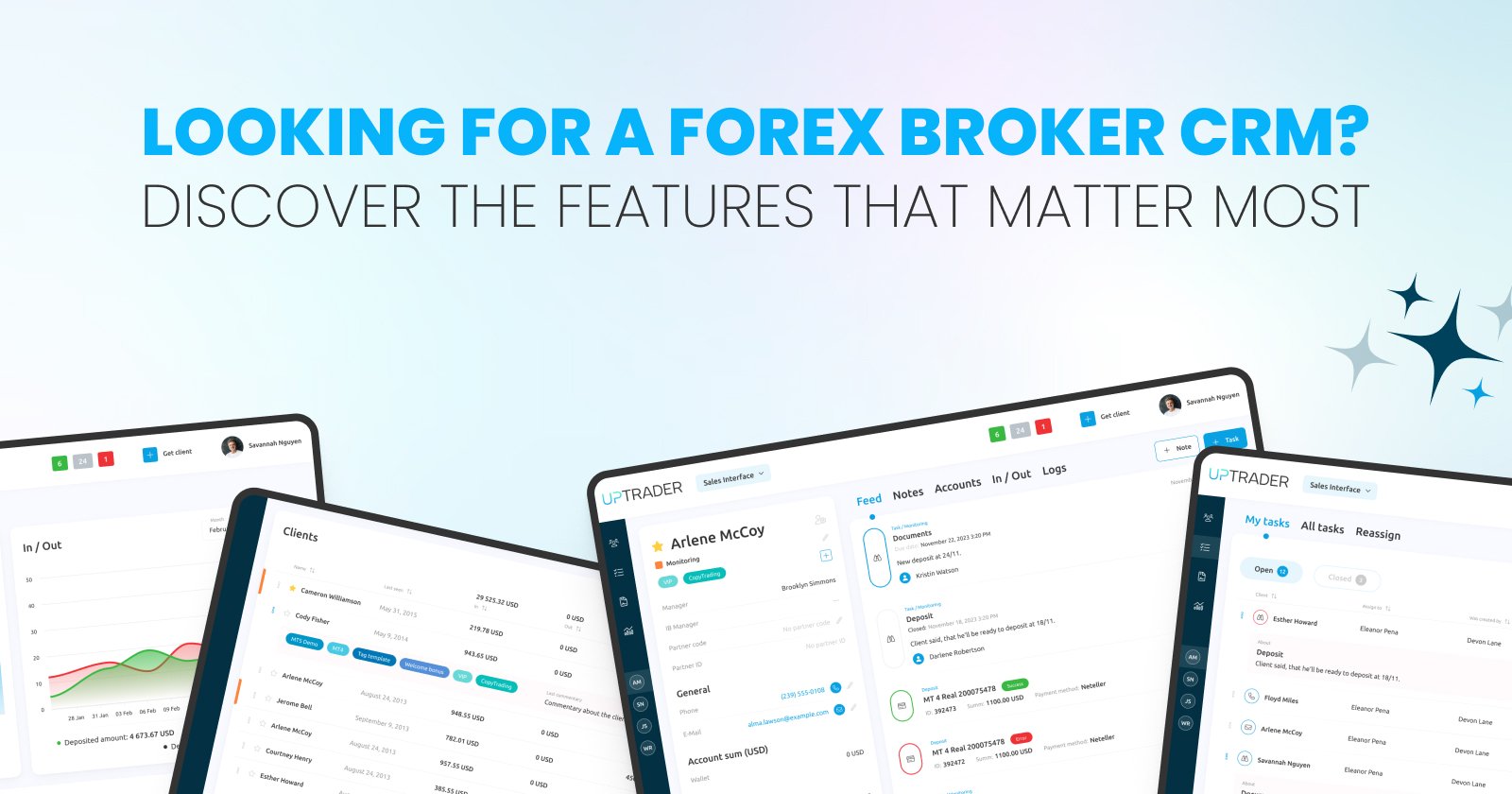
Looking For A Forex Broker CRM? Discover The Features That Matter Most
Share this publication:
When you're running a Forex brokerage, the CRM you choose is not only “nice” to have but it's the backbone of client relationships, regulatory compliance, and scalable growth. A good CRM helps you convert prospects into funded traders, keeps your operational costs predictable, and reduces risk exposure by tightening control over client data and workflow. The wrong CRM, by contrast, wastes time, creates friction for sales and support teams, and can expose you to compliance headaches.
In this article you’ll get a clear, business-focused checklist of the features that actually move the needle for a Forex broker — and how to judge them during evaluation and implementation.
Start With The Outcome: What Do You Need The Forex Broker CRM To Achieve?
Begin every Forex Broker CRM evaluation by being brutally honest about outcomes. Are you trying to: increase demo-to-live conversion, reduce onboarding time, automate KYC and AML checks, centralize trade and account data, or scale customer service without adding headcount?
Each of your goals represents different priorities. If your main focus is acquisition, then your main focus should be on marketing automation and lead scoring. If retention and operational efficiency matter most, then your focus should be on ticketing, client lifecycle automation and reporting. Identifying desired outcomes first stops you from falling for gimmicks during vendor demos.
Forex Broker CRM Core Features That Directly Affect Revenue And Risk
Here are the CRM capabilities that deliver measurable business value for a Forex broker.
1. Seamless Client Onboarding And KYC Automation.
Onboarding should be fast, compliant and easily auditable. The CRM should be able to do the identity verification, allow for document uploads, and automate the KYC/AML screening with a traceable audit log. Your team has the option of integrating services with third-party identity providers to be able to implement customizable workflows that allow for the tiering of high-risk applications for manual review.
2. Unified Client Profile And Account Linking.
Your sales, compliance, risk, and support teams must be able to see one source of truth for each client: personal data, documents, trading accounts, deposit history, communication logs, and risk flags. Choose systems that do not force teams to switch to different screens. A single, easy-to-navigate, unified client record saves time and minimizes the number of discrepancies in communication and decision-making.
3. Trade & Account Data Synchronization.
The CRM should integrate with your back-office and trading systems to surface real-time or near-real-time account balances, open positions, P/L, and margin events. When support or account managers can view live positions and exposure inside the CRM, they can give faster, more relevant assistance — and compliance can spot unusual patterns early.
4. Workflow Automation And Rules Engine.
A customizable automation engine allows to alter parameters of business logic, for example, triggering a phone call when a lead reaches a particular score, halting withdrawals when some suspicious activity is detected, or sending deposit confirmation messages automatically. The more you are able to automate repetitive activities under rules that are auditable, the fewer manual errors you will make, and the more your staff will be able to work on value-added activities.
5. Marketing Automation And Lead Management.
For growth, you need targeted campaigns, granular segmentation, and lead scoring that reflect trading intent (not just open rates). The CRM must allow you to score leads based on real trading behavior, deposit activity, and engagement, then route hot leads to your sales team in real time.
6. Robust Support And Ticketing System.
Support volume is a hidden cost. Efficient ticket routing, SLA tracking, use of canned responses, and escalation paths reduce resolution times and improve client satisfaction. Look out for chat and email threading, multi-channel history in the client profile, and SLA compliance reports.
7. Compliance, Audit Logs, And Reporting.
Regulators demand transparency. Your CRM must keep immutable logs of actions taken on client files, provide exportable audit trails, and support reporting needed for different jurisdictions. Built-in compliance dashboards reduce the time spent assembling regulatory disclosures.
8. Security, Access Control, And Data Residency.
Security is non-negotiable. The CRM must provide granular role-based access control, two-factor authentication, encryption at rest and in transit, and options for data residency that match your regulatory footprint. You should be able to demonstrate secure practices during audits.
Forex Broker CRM Operational Features That Save Time And Money
These features are less glamorous but multiply efficiency.
Customizable dashboards and KPIs. You and your managers need fast access to conversion funnels, deposit velocity, average deposit size, churn, and time-to-onboard. Dashboards that you can tailor reduce the time to decision.
Mass actions and bulk processing. The ability to send documents, change statuses, or apply tags to large groups at once is essential during campaigns, upgrades, or compliance sweeps.
Document management and e-signatures. Built-in document storage with searchable OCR and integrated e-signature reduces paperwork and accelerates account activation.
Audit-ready backups and version control. You’ll want point-in-time restores and the ability to show what changed, when, and by whom.
Scalability, Customization, And Vendor Flexibility
Your Forex CRM should be able to scale as your business grows — and bend to the idiosyncrasies of your process.
APIs and integrations. Make sure the CRM exposes APIs for both read and write operations. You want integrations with payment processors, liquidity providers, back-office ledgers, and analytics tools. A vendor that treats APIs as an afterthought will slow you down.
Modular architecture. Prefer modular systems where you can enable or disable components. This keeps costs down and simplifies upgrades.
Custom fields and workflows. No two brokers are identical. The CRM must let you add fields, design custom workflows, and map lead statuses to your internal processes without code.
Multi-jurisdiction support. If your activity is multi-regional, the CRM should be able to accommodate different KYC policies, document requirements, language provisions, and data residency.
Measuring Success: What To Track Post-Implementation
Set KPIs before you switch systems. Track at minimum:
- Conversion rate from lead to funded account.
- Time to onboard (from lead to tradable account).
- First deposit velocity (average days to first deposit).
- Support SLA compliance and average resolution time.
- Cost per acquired client and average lifetime value.
- Number of manual intervention points reduced.
These metrics will tell you if the CRM is delivering the outcomes you defined at the outset.
Vendor Selection Checklist — Practical Questions To Ask
When you’re in a demo, use this short checklist to separate marketing from reality:
- Can you demo a real onboarding workflow including KYC/AML checks and handling a flagged application? If a vendor can’t show a full path, it’s a red flag.
- What integrations are out-of-the-box and what requires custom development? Get a list and delivery timelines.
- How does the CRM handle data residency and backups? Ask for specifics and certifications.
- What SLAs do you offer for uptime, support response, and incident resolution? Get these in writing.
- Can we access raw data via API or scheduled exports? You must be able to run your own analytics.
- How customizable is the rules engine and how are updates managed? You don’t want to call support for every small change.
- Can the system scale to handle X clients and Y concurrent users? Ask for references from brokers of similar size.
- What reporting and audit features exist for compliance? Request sample reports.
- What is the change management and implementation plan? Look for training, sandbox access, and staged rollouts.
Implementation Tips To Keep Risk Low And ROI High
A CRM rollout is a business change project, not just an IT upgrade. Use these practical tips.
Run a pilot with one business line. Don’t switch everything at once. Pilot with one market or team, collect feedback, and iterate.
Map processes before you migrate data. Clean up client records and remove duplicate or stale leads. Poor data in will stay poor data out.
Automate incrementally. Start with high-impact, low-risk automations (welcome emails, lead routing) before moving to decision-critical automations (suspending accounts, auto-approving documents).
Train power users. Create super-users in each team who understand both the business process and the CRM. They’ll be the champions who keep adoption high.
Monitor and optimize. Use the metrics you defined to spot friction points and address them quickly.
Common Pitfalls And How To Avoid Them
Buying by features, not outcomes. Many brokers buy on checklists and find their workflows don’t fit. Define outcomes first.
Underestimating integration complexity. Integrations take time; budget for engineering, test environments, and back-and-forth with vendors.
Skipping security and compliance validation. Don’t sign without legal and compliance sign-off; the costs of an oversight here are high.
Poor change management. Adoption fails when staff aren’t trained or when workflows change overnight. Stage the rollout and communicate clearly.
Final Checklist — Make A Confident Decision
Before you sign, make sure you’ve covered these bases:
- Clear alignment between CRM capabilities and your top 3 business outcomes.
- Demonstrated, working integrations with key systems (payments, back-office, identity).
- Transparent SLAs, security certifications, and data residency options.
- A staged implementation plan with training and measurable KPIs.
- A trial or pilot period where you can validate real world performance.
Conclusion — Prioritize Outcomes, Then Features
Choosing a Forex Broker CRM is a strategic decision that shapes client experience, regulatory posture, and operational efficiency. By starting with the business outcomes you need and then mapping those outcomes to concrete features — onboarding automation, unified client records, live trade integration, a flexible rules engine, and strong security — you’ll avoid common traps and select a system that scales with you.
Treat vendor demos as business experiments: demand to see the exact workflows you depend on, insist on API access to your own data, and measure success against the KPIs you set before implementation. Do that, and your CRM will be not just a tool, but a growth engine.
If you’re serious about growth, choose tools built for brokers, not for generic sales teams — and push to make automation, measurement and partner management the backbone of your strategy.
Leave a request for a live demo here