



Main About Articles

Company blog

Forex CRM Software Selection Guide: Avoid Costly Mistakes in Broker Operations

Forex CRM Software Selection Guide: Avoid Costly Mistakes in Broker Operations

The Forex CRM software decision is one that most brokerages get one chance to make well. Choosing the wrong platform does not just create inconvenience. It creates compounding operational costs that show up in delayed onboarding, manual workarounds, compliance gaps, IB disputes, and eventually a full platform migration that costs between $20,000 and $80,000 and disrupts your operations for three to six months.


The brokerages that avoid these costs are not the ones who found a perfect forex CRM. They are the ones who avoided the specific mistakes that lead to a bad fit. Most of those mistakes happen before anyone sees a demo, during the evaluation process itself, when assumptions go unchallenged and the wrong questions get asked.


This guide identifies the most common and most expensive forex CRM software selection mistakes forex brokers make in 2026 and what to do instead.


Mistake 1: Choosing Forex CRM Software Based on Feature Count

This is the most widespread error in forex CRM selection, and it is the one that leads to the most expensive corrections. You compare three or four platforms, line up their feature lists side by side, and pick the one with the most checkmarks. It seems rational. It is not.


A feature list tells you what the platform claims to do. It does not tell you how well it does it, how those features perform under production conditions, or whether they are configured for the workflows your brokerage actually runs. An fx CRM that advertises IB management may offer a basic flat-rebate module that breaks down the moment you introduce multi-tier hierarchies or hybrid commission models. A forex CRM that lists KYC automation may provide a document upload form with a manual status dropdown rather than a configurable workflow engine with automated routing and audit trails.


The alternative is to start with your own operations. Map your daily workflows across sales, compliance, finance, and partner management. Identify your five biggest operational pain points. Then evaluate whether each platform addresses those specific pain points natively, not whether it has the longest feature column in a comparison spreadsheet.


Mistake 2: Starting With a Generic CRM

Salesforce, HubSpot, and Zoho are excellent platforms for the industries they were designed to serve. Forex brokerage is not one of them. Generic CRMs have no native concept of trading accounts, multi-currency wallets, IB commission hierarchies, or jurisdiction-specific compliance workflows. Every one of those capabilities needs to be custom-built through plugins, middleware, or developer time.


The initial appeal is understandable. Your team already knows how to use Salesforce. The licensing cost looks manageable. But the customization costs accumulate fast, and you hit walls that no amount of configuration can solve. A generic CRM cannot synchronize real-time trading data from Trading Platform 4/5 through the Manager API. It cannot compute IB rebates based on confirmed trading volume across a multi-tier partner network. It cannot generate the audit trails that FCA or CySEC regulators expect during a compliance review.


Most brokerages that start with a generic tool end up migrating to a purpose-built forex CRM within 12 to 18 months. That migration costs time, money, and operational momentum at exactly the point when the brokerage can least afford to lose any of them.


Mistake 3: Accepting Surface-Level Trading Platform Integration

Every forex CRM vendor will tell you they integrate with Trading Platform. The question is how deep that integration goes, and most brokers do not ask.


Surface-level integration means the fx CRM can create trading accounts and pull basic balance data, often with a delay. Deep integration means real-time synchronization of account balances, open positions, margin levels, and trading behavior directly into the CRM record. It means your retention team can see a client's live trading activity without switching to a separate admin panel. It means the forex CRM can trigger automated workflows based on trading behavior, like flagging an account whose frequency dropped significantly over the past two weeks.


The cost of shallow integration is invisible at first. Your team develops workarounds. They check the Trading Platform 4 admin panel in one tab and the forex CRM in another. They export data manually to build reports. Those workarounds become embedded in your operations, and removing them later requires retraining your entire team. Ask vendors to demonstrate the integration working in a live or staging environment. Ask what data syncs in real time versus on a schedule. Ask what happens when the trading server restarts. These questions expose the difference between a marketing claim and an operational reality.


Mistake 4: Treating Compliance as a Checkbox

When evaluating forex CRM platforms, most brokers verify that the system "supports KYC" and move on. That single checkbox conceals an enormous range of capability, from a basic document folder to a fully configurable compliance workflow engine with jurisdiction-specific rules, automated routing, SLA tracking, and comprehensive audit trails.


The cost of getting this wrong surfaces during your first regulatory audit. A regulator asks you to demonstrate who approved a specific client's KYC documents, when the approval happened, what checks were performed, and what evidence supported the decision. If your CRM cannot produce that trail in seconds, you have a compliance gap that no amount of after-the-fact documentation can fix.


Brokerages operating across multiple jurisdictions face an additional layer of risk. If your CRM cannot run different compliance workflows per jurisdiction from a single instance, every market expansion requires either a separate system or a set of manual workarounds that multiply your compliance team's workload and your audit exposure.


Mistake 5: Underestimating IB Commission Complexity

IB management looks simple when you have five partners with flat commission structures. It becomes one of the most operationally complex workflows in your brokerage when you scale to 50 or 200 partners with multi-tier hierarchies, hybrid CPA-plus-rebate models, and individually negotiated rates.


The mistake is choosing a forex CRM whose IB module handles the simple case but cannot scale to the complex one. If your commission calculations require a monthly spreadsheet export, manual formulas, and a re-import, you will eventually face payout disputes that erode partner trust. High-performing IBs who generate significant client volume expect real-time visibility into their commissions and their network's activity. If your platform cannot provide that transparency, those partners will move their network to a competitor who can.


Evaluate IB management as a scale problem, not a current-state problem. Choose a forex CRM that handles the commission complexity you will need in 12 months, not just what you need today.


Mistake 6: Skipping the Sandbox

A demo is a controlled environment designed to make the product look good. It shows you the clean workflow, the ideal client journey, the polished dashboard. It does not show you what happens when 200 KYC submissions arrive on a Monday morning, when your finance team needs to reconcile 3,000 transactions across four PSPs, or when a multi-tier IB commission calculation produces a result that a partner disputes.


Any serious forex CRM vendor will provide a sandbox environment where you can test real workflows with your own data. Request one. Connect it to your Trading Platform ⅘ server. Create accounts, process deposits, run compliance workflows, and generate reports. If a vendor will not provide a sandbox, that reluctance tells you something about how confident they are in their product's performance under realistic conditions.


Conclusion

Every mistake on this list shares the same root cause: evaluating a forex CRM software based on what it claims to do rather than how it performs under the specific conditions your brokerage operates in. Feature lists, polished demos, and vendor promises are inputs to the decision, not the decision itself.


Start with your workflows. Test under realistic conditions. Evaluate compliance depth, integration quality, and IB scalability as operational requirements, not optional extras. The cost of choosing well is measured in weeks of careful evaluation. The cost of choosing poorly is measured in months of disruption and tens of thousands of dollars in migration expenses.


UpTrader provides a purpose-built forex CRM software with integrated back office, trader room, automated compliance workflows, and deep Trading Platform 4/5, cTrader, DXTrade, Match-Trader, and other integrations. 


Request a tailored sandbox demo so you know what you are getting yourself, and your brokerage into.


Learn more about our Forex CRM Software here

Articles
Forex CRM in 2026: What Brokers Need to Know Before Choosing a Platform

Forex CRM in 2026: What Brokers Need to Know Before Choosing a Platform


Most brokers start the forex CRM selection process by requesting demos. That is a mistake. Not because demos are useless, but because walking into a product walkthrough without a clear understanding of what you actually need, what the market actually offers, and where vendors routinely obscure the true cost of ownership means you are evaluating platforms without the context required to make a sound decision.


The forex CRM market in 2026 has matured significantly. There are more vendors, more pricing models, more integration claims, and more feature overlap than at any point in the industry's history. That maturity makes the landscape harder to navigate, not easier. A broker who understands the structural differences between platforms, the economics behind pricing tiers, and the operational realities that vendor marketing consistently glosses over will make a fundamentally better infrastructure decision than one who compares feature checklists and picks whichever column has the most checkmarks.


This article covers what you need to understand about the forex CRM landscape before you start evaluating specific platforms.


The Market Has Consolidated Around Two Forex CRM Models

The forex CRM vendor landscape in 2026 broadly splits into two architectural models, and understanding which one you are looking at will save you months of misaligned evaluation.


The first model is the unified broker operating system. Platforms built on this model combine CRM, back office, trader room, compliance workflows, payment processing, and partner management into a single integrated system. Everything shares the same data layer. What your client sees in the portal matches what your team sees internally. What your compliance officer approves is immediately reflected in the client's account status, deposit clearance, and trading access. The advantage is operational consistency. The trade-off is that you are committing to a single vendor for a larger share of your infrastructure.


The second model is the modular stack. In this approach, you select a CRM for lead and relationship management, a separate back office for payment and compliance operations, a separate trader room for the client-facing portal, and potentially separate modules for copy trading, IB management, and reporting. Each component may be best-in-class for its specific function. The trade-off is integration complexity. Every connection point between systems is a potential failure point, a data sync delay, and a reconciliation risk.


Neither model is inherently superior. The right choice depends on your engineering resources, your tolerance for vendor dependency, and how much integration maintenance you are prepared to manage. But you need to know which model a vendor is selling you before you can evaluate whether it fits your operation.


Pricing Is More Complex Than the Monthly Fee

CRM pricing in the forex space is notoriously opaque, and the headline monthly fee rarely reflects what you will actually pay. Understanding the full cost structure before you enter negotiations will prevent the budget surprises that derail implementations.


Entry-level SaaS CRM platforms typically start between $500 and $1,000 per month. Mid-tier platforms targeting established brokerages range from $3,000 to $10,000 per month. Enterprise deployments with advanced compliance tooling, multi-jurisdiction support, and dedicated infrastructure can exceed $25,000 per month.


But the monthly subscription is only part of the picture. Setup fees range from $1,000 to $20,000 or more depending on the complexity of your configuration. Per-client fees can spike your costs unpredictably as your client base grows. When purchasing additional programs that add functionality, such as PAMM, copy trading, bonus engines or more advanced IB management capabilities, they are usually priced separately for the base platform. There are typically additional fees for custom branding, API access, additional integrations with 3rd party service providers (PSPs), and advanced support tiers.


However, one cost that many brokers do not properly consider when evaluating their vendor is the cost of leaving a vendor. Migrating from a SaaS CRM usually incurs costs between $20,000 - $80,000 associated with data exportation fees, re-building integrations, re-training team members, and operational disruption during the transitional time period. That migration usually takes three to six months. If you choose a platform that does not fit your operation, the cost of correcting that mistake is substantial.


Custom CRM development is the alternative to SaaS. Initial builds typically range from $80,000 to $350,000 depending on complexity, with ongoing maintenance costs of $25,000 to $75,000 per year. Over a five-year horizon, custom development can be 15 to 40 percent cheaper in total cost of ownership for mid-sized and larger brokerages, with the break-even point generally falling between 24 and 36 months. But it requires engineering capacity that most early-stage brokerages do not have.


Your Brokerage Stage Should Drive the Decision

A startup brokerage launching its first few hundred accounts has fundamentally different forex CRM requirements than a scaling operation managing thousands of clients across multiple jurisdictions with a mature IB network. Choosing a platform built for the wrong stage creates problems in both directions.


If you are pre-launch or early-stage, you need a platform that gets you operational quickly without requiring months of configuration. Speed to first live client matters more than enterprise-grade customization at this point. An integrated platform that bundles CRM, trader room, and basic compliance workflows into a single deployment will outperform a modular stack that requires you to configure and connect multiple systems before you can onboard your first client.


If you are scaling, the requirements shift toward operational depth. You need configurable compliance workflows that adapt to new jurisdictions without rebuilding your onboarding flow. You need IB commission logic that handles multi-tier hierarchies and hybrid commission models without manual computation. You need a wallet architecture that reconciles cleanly at volume. And you need a trading platform integration that gives your team real-time visibility into client activity, not delayed data feeds that require supplemental reports.


If you are already running at enterprise scale, the decision is less about which platform to choose and more about whether to optimize your current system, migrate to a better fit, or invest in custom development. At this stage, the migration cost calculation becomes critical because the disruption of switching platforms during high-volume operations can set you back operationally for six months or more.


The Integration Question Is the Real Decision


The most consequential technical question in any forex CRM evaluation is not what features the platform offers. It is how deeply it integrates with the rest of your technology stack.


Your forex CRM needs to read real-time data from your trading platform. It needs to process payment transactions through your PSP integrations. It needs to feed compliance data into audit-ready reports. It needs to compute IB commissions based on confirmed trade data. It needs to power a client-facing portal that reflects the same information your internal team sees.


If any of those connections are shallow, delayed, or require manual data transfer, you will build workarounds. Those workarounds become embedded in your daily operations. New team members learn the workarounds instead of the proper process. When you eventually need to fix the integration, you discover that your entire workflow depends on the workaround, and removing it requires retraining your team and restructuring your operations.


Ask vendors specifically how their platform connects to Trading Platform 4/5, or cTrader. Is it a native Manager API integration or middleware? Ask how deposit and withdrawal data flows between the forex CRM and your payment providers. Ask whether the IB commission engine computes from live trade data or from periodic snapshots. Ask what happens to data sync when the trading server restarts. These questions reveal architectural reality, not marketing claims.


What Forex CRM Providers Will Not Tell You

Every vendor will tell you their platform integrates with your trading environment. Not every vendor will tell you the integration only syncs balance data once per hour. Every vendor will advertise KYC and AML compliance support. Not every vendor will tell you their compliance module is a document upload form with a manual status dropdown rather than a configurable workflow engine with automated routing and audit trails.


Every vendor will claim IB management support. Not every vendor will tell you their commission calculation requires a manual export and a spreadsheet at month-end. The gap between what a platform does in a demo and what it does in production is the single most important thing to evaluate. The only way to evaluate it is to ask the uncomfortable questions before you sign the contract, not after you discover the limitations during your first month of live operations.


Conclusion

The forex CRM decision is one you will live with for years. Migrating away from a poorly chosen platform is expensive, disruptive, and time-consuming. The brokers who make the best decisions are the ones who invest time in understanding the market landscape, the real cost structure, and their own operational requirements before they ever sit through a demo.


Know whether you need a unified operating system or a modular stack. Understand the full cost of ownership beyond the monthly fee. Match your forex CRM choice to your brokerage stage. Pressure-test integration depth with specific technical questions. And never trust a demo environment to represent production conditions. The platform you choose will shape how your brokerage operates at every level. Make the decision with that weight in mind.


UpTrader provides a unified forex CRM and back-office platform with integrated trader room, automated compliance workflows, multi-currency wallet architecture, and native Trading Platform 4/5, and cTrader support. 


Request a tailored demo here, so you know what you are getting yourself into

Articles
What is UpTrader? A Complete Guide to Its Forex CRM and Broker Solutions

What is UpTrader? A Complete Guide to Its Forex CRM and Broker Solutions


If you have been researching forex CRM platforms, you have likely come across UpTrader. It appears in broker technology comparisons, fintech expo coverage, and industry discussions about brokerage infrastructure. But most of the content available about the platform is either vendor marketing or surface-level mentions in listicle-style reviews. Neither gives you a clear, operational understanding of what UpTrader actually is, what it does, and where it fits in the brokerage technology landscape.


This guide provides that understanding. UpTrader is a purpose-built forex CRM and brokerage operations platform designed specifically for brokers, white-label operators, and prop trading firms. It is not a general-purpose CRM adapted for financial services. It was built from the ground up to handle the operational workflows that define how a forex brokerage runs: client onboarding, regulatory compliance, payment processing, trading platform integration, IB partner management, and managed account infrastructure.


The platform is structured around three core components that work as a unified system rather than disconnected modules. Understanding how those components connect is the key to understanding what UpTrader does and whether it fits your operation.


UpTrader: Three-Part Architecture

UpTrader consists of a triad of linked systems: The Trader's Room, Back Office, and Investment Module. Each one of these serves its own unique audience. However, they all share the same underlying data layer which allows for all three systems to automatically share data within themselves without any need for manual transfers or delays due to sync.


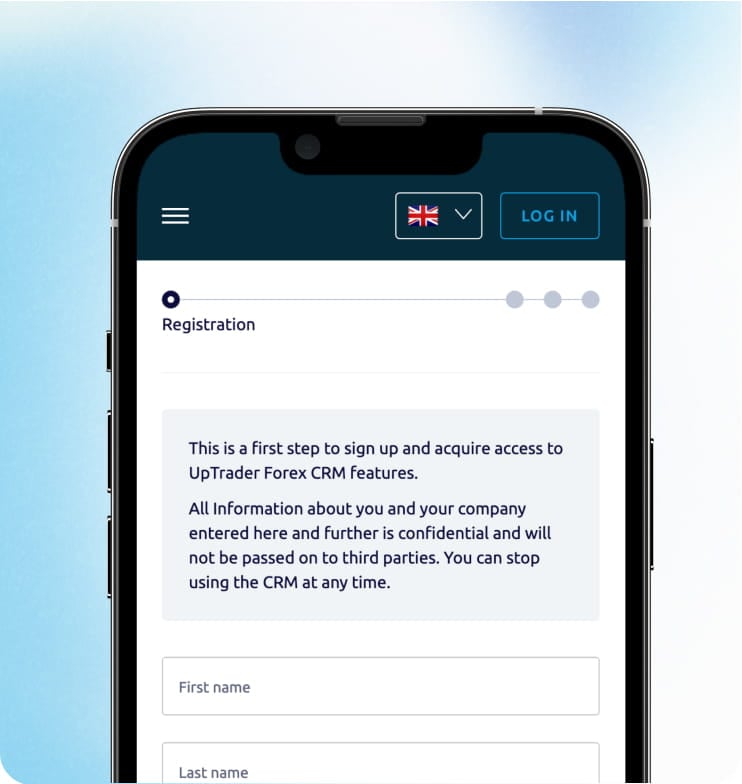
The Trader's Room serves as an interface between the client and UpTrader. This is where your client's traders will sign up, upload their KYC documents, manage their wallets, open and configure their trading accounts, start depositing and withdrawing funds into or out of their accounts, and initiate copy trading activities. The Trader's Room is also designed to be a self-service environment allowing the user to complete many of the basic transactional needs to their accounts without having to contact your support team. In addition, the interface is built to be fully mobile native providing the ability to complete all aspects of managing a trading account via mobile devices.


The Back Office acts as an internal command center for your operations teams. This is where your compliance group will manage automated KYC review queues, your finance group will process and reconcile any deposits and withdrawals to/from various PSPs, your partner management group will manage IB hierarchies and commission plans, and your executive management group will view operational dashboards. The Back Office is set up with role-based access controls so that each group will only see data and features that relate to their job function.


The Investment Module, branded as UpTrader Invest, is the managed accounts and social trading layer. It provides PAMM, MAM, and copy trading infrastructure within the same platform, allowing your brokerage to offer passive investment products alongside standard retail trading accounts. Strategy providers, follower management, allocation logic, and performance fee computation all operate within this module.


The critical design decision behind this architecture is that all three components share one data environment. A deposit processed through the Trader's Room is immediately visible in the Back Office ledger. A compliance decision made in the Back Office is instantly reflected in the client's portal status. An IB commission computed from trading activity in the Investment Module appears in the partner's dashboard without a separate calculation step. That shared data layer eliminates the reconciliation gaps and synchronization delays that plague brokerages running separate systems for each function.


Trading Platform Support

UpTrader integrates natively with Trading Platform 4/5, cTrader, and DXtrade. The integration is not limited to basic account provisioning. It includes real-time synchronization of account balances, open positions, margin levels, and trading activity data directly into the CRM and back office environment.


For your internal team, that means a client record in the CRM shows live trading data alongside communication history, deposit activity, compliance status, and IB attribution. Your sales and retention teams can see a trader's real-time balance and recent activity without switching to a separate admin panel. Automated workflows can trigger based on trading behavior thresholds, such as flagging a high-value account whose activity has dropped below a defined level.


The multi-platform support is relevant for brokerages that offer clients a choice of trading environment or that are expanding their platform offering over time. A brokerage that launches on Trading Plaftorm 5 and later adds cTrader does not need to replace its CRM or rebuild its integrations. The same back office, the same trader room, and the same compliance infrastructure support both platforms from a single instance.


Payment Infrastructure

UpTrader supports integration with hundreds of payment service providers, covering bank wire, credit card, e-wallet, and cryptocurrency deposit and withdrawal methods. The platform uses a unified wallet architecture where every fund movement is recorded as a discrete ledger event tied to a client identity and a transaction timeline.


For your finance team, this means deposits, withdrawals, internal transfers, refunds, and commission payouts all exist within a single traceable financial record. Month-end reconciliation takes place based on a single consistent ledger instead of disparate records across an assortment of PSPs and trading accounts. This also manages operational edge cases that drain the finance team’s capability for scale, such as updates on the status of declined deposits, chargebacks that require documentation and withdrawal approvals needing to go through compliance prior to processing.


The breadth of PSP support also applies to brokerages that operate in multiple locales; enabling a new local payment method for a specific market should be a configuration task not a custom development effort. As you expand to new geographies UpTrader’s pre-built PSP integrations are designed to reduce barriers to doing so.


IB and Partner Management

UpTrader’s IB module has a multi-tier partner hierarchy with configurable commission structures. Automated calculation of commissions occurs based on confirmed trade activities, hybrid models comprised of CPA and volume based rebates will be paid automatically without the need for manual calculation or reconciliation through spreadsheets.


Partners access a self-service dashboard through the Trader's Room where they can monitor their referral network, track client activity, view earned commissions in real time, and generate referral links. The data visible to partners matches what your internal team sees in the back office, which eliminates the discrepancies that create payout disputes and erode partner trust.


For brokerages where IB networks represent a primary acquisition channel, this is one of the modules where UpTrader's purpose-built architecture shows its advantage most clearly over generic CRM platforms. Multi-tier commission computation with real-time visibility is a workflow that generic tools were simply not designed to handle.


Compliance and KYC Workflows

UpTrader provides automated KYC and AML workflows that route document submissions through verification checks, auto-approve clean submissions, and flag discrepancies for manual review with the specific issue identified. The system supports jurisdiction-configurable compliance rules, allowing brokerages operating under multiple regulatory licenses to run different verification requirements from a single platform instance.


Every compliance decision generates an audit trail with timestamps and user attribution. Document submissions, verification outcomes, approval decisions, status changes, and overrides are all logged as discrete records. When a regulator asks you to demonstrate the compliance history of a specific client, the back office produces that trail directly rather than requiring manual reconstruction from disparate sources.


Prop Trading Support

UpTrader includes a dedicated prop trading module that handles challenge management, evaluation phases, funded account operations, and profit split calculations within the same platform that manages retail brokerage operations. Brokerages running hybrid models that include both traditional retail accounts and proprietary trading programs can manage both segments from a single back office without running parallel systems.


This capability reflects the convergence of prop trading and traditional brokerage that has accelerated over the past two years. A growing number of brokerages now operate both models simultaneously, and the infrastructure needs to support that operational breadth without fragmenting the client management, compliance, and financial workflows across separate tools.


Deployment and Time to Market

UpTrader is positioned as a platform that can move from initial setup to live operations quickly. The vendor states that basic deployments can be configured and operational in under 24 hours, though more complex implementations with multi-jurisdiction compliance and extensive PSP integrations will take longer. The pre-built nature of the platform means you are configuring an existing system rather than building integrations from scratch, which avoids the months-long implementation timelines common with modular stacks.


Who UpTrader Is Built For

UpTrader is designed for forex brokerages, white-label operators, and prop trading firms that need a unified operational platform rather than a collection of disconnected tools. It is particularly well-matched for brokerages in growth phases where increasing complexity across jurisdictions, IB networks, and client volume makes the limitations of generic tools increasingly visible. It is equally suited for new brokerages that want to launch with infrastructure they will not need to replace within 12 months.


Conclusion

UpTrader is a purpose-built forex brokerage operations platform that combines CRM, back office, trader room, payment processing, compliance automation, IB management, and social trading infrastructure into a unified system. Its architecture is designed around the principle that these functions share data dependencies that make separation inefficient, and that a brokerage operates best when every department works from the same operational layer.


Whether it is the right choice for your brokerage depends on whether its unified model matches your operating approach and whether its trading platform support, PSP coverage, and compliance configurability align with your specific requirements. The most effective way to evaluate that fit is to map your own operational workflows first and then test whether the platform handles them natively.


Request a tailored demo and see how UpTrader maps to your brokerage here.

Articles
Forex Back Office Software in 2026: A Complete Buyer's Guide for Brokers

Forex Back Office Software in 2026: A Complete Buyer's Guide for Brokers


Your forex back office software is not something your clients see, but it is the system that determines whether everything they do see works properly. Every deposit that clears, every KYC document that gets approved, every withdrawal that processes on time, every IB commission that gets paid accurately, all of it runs through your back office software. When it works, your brokerage feels seamless. When it does not, your clients experience delays, your compliance team drowns in manual work, and your finance department loses days to reconciliation problems.


The term "back office software" gets used loosely in the forex industry. Some vendors treat it as synonymous with CRM. Others position it as the admin panel behind a trader room. In practice, it refers to the full operational infrastructure that sits between your trading platform and your client-facing interfaces: account lifecycle management, payment processing, compliance workflows, partner administration, risk monitoring, and operational reporting. It is the command center your team works inside every day, even if your clients never interact with it directly.


This guide covers what to prioritize when evaluating forex back office software in 2026 and where brokers most frequently make the wrong call.


Forex Back Office Software vs Forex CRM: Why the Distinction Matters for Your Purchase

Before you start comparing vendors, you need to understand what you are actually buying. In 2026, most purpose-built forex platforms bundle CRM and back office functionality into a single product. That is generally the right approach, because the two systems share data dependencies that make separation inefficient. But understanding the distinction helps you evaluate whether a vendor's offering is genuinely comprehensive or whether it is strong on one side and weak on the other.


The CRM layer manages client-facing relationships: lead capture, sales pipeline, communication tracking, and retention workflows. The back office layer manages operational execution: trading account provisioning, payment processing, compliance decisioning, commission computation, and regulatory reporting. A platform that excels at lead management but cannot handle multi-currency wallet reconciliation has a CRM, not a back office. A platform that processes payments and manages compliance beautifully but has no lead scoring or retention automation has a back office, not a CRM.


Account Lifecycle Management

Your back office software manages the full operational lifecycle of every client account, from the moment it is created to the moment it is archived. That includes account provisioning on your trading platform, leverage configuration, group assignment, status changes, and account closure procedures.


In a well-built system, a new client completes registration and KYC through the trader room, and the back office automatically provisions a trading account on the appropriate Trading Platform 4 or 5, or cTrader server based on the client's jurisdiction, account type, and regulatory requirements. No manual intervention. No waiting for an admin to create the account and email the credentials.


The same principle applies throughout the account lifecycle. Leverage change requests, account type upgrades, platform migrations, and dormancy management should all follow configurable rules that the back office executes automatically, with manual override available for edge cases. If your operations team is spending significant time on routine account administration tasks that could be rule-driven, your back office software is not doing its job.


Payment Processing and Financial Controls

Payment operations are the area where back office software quality becomes most visible to your finance team and most consequential for your clients. Every deposit, withdrawal, internal transfer, and refund flows through this layer.


The two things to evaluate here are ledger architecture and PSP integration breadth. A single-wallet ledger system records every fund movement as a discrete event tied to a client identity and a timestamp. This gives your finance team a clean, traceable record that reconciles reliably at month-end. The alternative, tracking balances per trading account or per payment provider independently, works at low volume but fragments your financial data as transactions scale. That fragmentation turns reconciliation from an afternoon task into a multi-day investigation.


On the PSP side, evaluate how many payment service providers the back office supports natively. Bank wire, credit card, e-wallet, and cryptocurrency are baseline in 2026. If you are targeting Southeast Asia, MENA, or Africa, verify that the specific local payment rails your clients expect are supported without custom development.


Your back office should also provide automated routing logic that directs transactions to the appropriate PSP based on configurable rules: currency, geography, transaction size, or provider availability. Manual payment routing does not scale, and it introduces human error into a process where accuracy is non-negotiable.


Compliance and Regulatory Infrastructure

Compliance is where the consequences of choosing the wrong back office software become most expensive. A system that handles compliance as a surface-level feature, a document upload form with a status field, will create regulatory exposure that compounds with every new client and every new jurisdiction you enter.


A broker-grade back office should provide configurable KYC and AML workflows that adapt to different jurisdictions without developer intervention. Document collection requirements, identity verification steps, risk scoring rules, and approval routing should all be adjustable through the admin interface. Clean submissions should auto-approve. Flagged submissions should route to manual review with the specific issue identified so your compliance officer does not waste time re-examining documents that passed every check.


The audit trail is the most important compliance output your back office produces. Every document submission, every verification decision, every status change, every override, and every approval should be logged with timestamps and user attribution. When a regulator asks you to reconstruct the compliance history of a specific client, your back office should produce that history in seconds. If the answer involves searching through email threads or exporting data to a spreadsheet, you are carrying audit risk that will eventually surface.


Brokerages operating under multiple regulatory licenses need jurisdiction-configurable compliance rules running from a single system. If opening a new market means deploying a separate back office instance, your compliance infrastructure becomes a scaling bottleneck.


IB and Partner Administration

Your Introducing Broker program is an acquisition engine, and the back office is where that engine's mechanics live. Commission structures, partner hierarchies, referral attribution, payout schedules, and partner portal data all run through your back office software.


The complexity here scales faster than most brokers anticipate. Five IBs with flat rebate structures is manageable in a spreadsheet. Two hundred IBs with multi-tier sub-partner hierarchies and hybrid CPA-plus-rebate models is a system that requires automated computation tied directly to confirmed trade data. If your back office cannot compute and settle commissions automatically, your partner management team will spend their time on manual calculations and payout disputes instead of growing the network.


Evaluate whether the back office provides a self-service partner portal where IBs can see their referral network, track client activity, monitor earned commissions, and generate referral links independently. The quality and transparency of this portal directly affects partner retention. An IB who has to email your team for a commission report every month will eventually take their network to a competitor who provides that visibility in real time.


Risk Monitoring and Exposure Tracking

Risk management capabilities vary enormously between vendors. At minimum, your back office should provide real-time visibility into client exposure, aggregated position data, and configurable alerts for risk thresholds.


More advanced systems integrate directly with your liquidity bridge to monitor hedging ratios and flag concentrated exposure from social trading or MAM operations. When a strategy provider with 500 followers opens a large position, the aggregated exposure creates meaningful risk for your brokerage. Your back office needs to surface that concentration before it becomes a problem. If your current risk monitoring involves pulling manual reports from your trading platform admin panel, you are operating below the baseline for 2026.


Reporting and Operational Intelligence

Your back office should generate the reports your leadership team needs without waiting for someone to compile data manually. Real-time dashboards covering onboarding conversion, deposit and withdrawal volumes, KYC turnaround, IB performance, and trading activity trends should be standard.


Evaluate whether the system uses event-based or snapshot-based reporting. Event-based systems log every state change as a discrete record, allowing you to trace any client, transaction, or decision from start to finish. Snapshot-based systems capture current state at intervals, making dashboards simple but root-cause analysis during audits extremely difficult. For regulatory reporting, event-based architecture is the defensible choice.


Conclusion

Forex back office software in 2026 is not a secondary system you configure after the exciting decisions about trading platforms and liquidity providers are made. It is the operational foundation that determines whether those front-end investments actually translate into a brokerage that runs efficiently, scales cleanly, and satisfies regulators under scrutiny.


Evaluate your back office purchase with the same rigor you apply to your trading platform selection. Test compliance workflows under realistic volume. Verify that payment reconciliation works cleanly at scale. Confirm that IB commission logic handles the complexity your partner program will demand in 12 months, not just what it requires today. The brokerages that get this decision right build operations that compound. The ones that get it wrong spend their second year replacing the system they chose in their first.


UpTrader provides integrated forex back office and CRM software with automated compliance workflows, multi-currency wallet architecture, real-time IB commission management, and deep trading platform integration across Trading Platform 4 or 5, and cTrader. 


Request a tailored demo so you know what you are getting into here

Articles
Copy Trading Platform for Brokers in 2026: A Complete Buyer's Guide

Copy Trading Platform for Brokers in 2026: A Complete Buyer's Guide


Copy trading has moved from a differentiating feature to a baseline expectation. If you are launching or scaling a forex brokerage in 2026 without a copy trading offering, you are conceding an entire client segment to competitors who have one. The passive investor who wants market exposure without learning technical analysis, the retail client who would never have opened a forex account independently but will follow a strategy provider they trust. These are high-retention, high-volume clients choosing brokerages based on copy trading quality more than any other single factor.


But choosing a copy trading platform as a broker is a fundamentally different decision than choosing one as a retail trader. You are not evaluating which app has the nicest interface. You are evaluating infrastructure that needs to integrate with your trading platform, connect to your CRM and back office, handle trade replication at scale without introducing performance discrepancies, compute and distribute fees transparently, and satisfy regulatory requirements across every jurisdiction you operate in.


This guide covers what to evaluate before you commit to a copy trading platform for your brokerage, and where the decisions that seem minor during the sales process become operationally consequential once you go live.


Copy Trading Platform First Decision: Build, Buy, or Integrate

Before comparing specific platforms, you need to decide on your deployment model.


If you decide to create a proprietary copy-trading system, you can have total control over it - however, you will need to deploy a large number of resources in terms of development and will take longer to get to market. Building from scratch is generally not the right option unless building internally your core competitive advantage with your own engineering support.


In 2026, the more likely option is to purchase either a white-label copy trading system or a turnkey system to include with your current trading platform. These vendors provide out-of-the-box infrastructure that connects directly with Trading Platform 4/5 or cTrader, has a marketplace for strategies, a replication engine, and works with clients to manage investors. The trade-off with this approach is that you are reliant on the vendor's product development roadmap (in terms of functionality) and cannot be totally confident in their systems' reliability.


Integrated platforms that bundle copy trading directly into a unified CRM and back office represent the third option. This approach eliminates the integration complexity of connecting a standalone module to your operational infrastructure, because the copy trading layer shares the same data architecture as your client management, payment processing, and compliance workflows.


The Replication Engine: Your Most Critical Infrastructure Component

The replication engine is the system that mirrors a strategy provider's trades across follower accounts. It is the single most important technical component in your copy trading stack, and it is the one most likely to create problems if you choose poorly.


When a strategy provider opens a position, the replication engine needs to distribute that trade to every subscribed follower account, scale the position size proportionally, and execute each sub-account order with minimal delay. The gap between the provider's execution price and the follower's fill price is slippage, and it is the primary driver of performance discrepancies between what the provider's track record shows and what the follower actually experiences.


At low follower counts, slippage is negligible. At scale, it compounds. A provider with 500 followers who executes a rapid scalping strategy will produce meaningfully different results for followers if the replication engine cannot process all 500 sub-account orders within a tight execution window. The followers see worse returns than the provider's published performance, lose trust, and disconnect. You lose both the follower and, eventually, the provider who attracted them.


When evaluating platforms, ask for latency benchmarks under realistic load conditions. Ask what happens when a provider closes multiple positions simultaneously and hundreds of follower accounts need to mirror those actions within the same second. Ask whether the engine processes each trade as an independent atomic event or whether it batches orders in ways that could introduce sequencing delays. These details separate platforms that work in a demo from platforms that work in production.


The Strategy Marketplace: Where Conversion Happens

Your strategy marketplace is the client-facing interface where investors browse, evaluate, and subscribe to signal providers. Its quality directly determines how quickly a registered client converts from a funded account into an active copy trading participant.


A well-designed marketplace surfaces the metrics that matter for informed decision-making: risk-adjusted returns, maximum drawdown, trading history length, win rate, average trade duration, Sharpe ratio, and a full equity curve. A poorly designed marketplace displays total return percentage without context, ranks providers by short-term gains, and gives investors no way to assess whether a provider's track record is statistically meaningful or the result of a two-week hot streak.


The difference matters for your business because follower churn is directly correlated with expectation misalignment. When an investor subscribes based on a misleading 400 percent return figure without understanding that the strategy carries 60 percent drawdown risk, the first significant loss triggers a disconnection. That churn is preventable with better marketplace design.


Your marketplace also needs provider quality controls. Minimum track record requirements (i.e. have at least one year of investment performance data, including trade records) and documented trading experience help protect the follower from following unproven strategies. In 2026, some of the platforms will offer an AI-based matching system designed to recommend strategies based on an investor's risk appetite and available capital. This eliminates or greatly shortens the time from when an account is opened to the time an investor starts following a strategy.


Performance Fee Infrastructure

Providers charge performance fees for generating profits for followers. The performance fee system (calculating, monitoring, and distributing performance fees) must be an automated, transparent, auditable system.


The industry's benchmark for performance fees is the High Water Mark, making it so a provider only gets a performance fee when the follower's account balance surpasses its prior highest account balance. This prevents providers from earning fees on recovery after a drawdown. The calculation needs to account for deposits and withdrawals that occur during the fee period, handle partial disconnections cleanly, and produce a detailed record of every fee charged.


Manual fee computation does not scale. At 50 followers it is manageable. At 5,000 it is impossible without automation. If the platform cannot demonstrate automated performance fee calculation with a clear audit trail, you will face fee disputes that damage provider trust and consume your operations team's time.


Evaluate whether the platform allows configurable fee structures. Different providers may negotiate different percentages. Some brokerages offer tiered models where providers earn more as they attract more capital. The platform should handle these variations without manual overrides.


Integration With Your Brokerage Stack

A copy trading platform that operates as a standalone system disconnected from your CRM, back office, and compliance infrastructure creates operational blind spots that grow with scale.


Your CRM needs visibility into copy trading activity. Which clients are followers? Which providers are they subscribed to? What is the average copied volume per account? Which followers are approaching drawdown thresholds? Without this data, your retention team cannot differentiate their engagement approach for copy trading clients versus self-directed traders, and your sales team cannot identify high-potential leads who are browsing the marketplace but have not yet subscribed.


Your risk management engine needs to monitor the aggregated exposure that copy trading creates. A single provider with 300 followers opening a large EUR/USD position generates concentrated directional exposure across your book. Your risk engine should flag that concentration in real time rather than surfacing it in an end-of-day report.


Your payment infrastructure needs to handle fund flows specific to copy trading: investor deposits, performance fee deductions, provider payouts, and withdrawals requiring partial disconnection from a strategy. These transactions need to reconcile cleanly with your broader financial ledger.


Evaluate how tightly the copy trading platform integrates with your existing systems. Native integration through a shared data layer is the cleanest approach. API-based integration with a standalone platform is workable but requires ongoing maintenance. Manual data transfer between systems is not sustainable at any meaningful scale.


Investor Protection Controls

Copy trading introduces a specific set of risk management requirements that your platform needs to handle at the individual investor level.


Drawdown limits allow investors to set a maximum loss threshold that automatically disconnects their account from a provider if reached. Stop-loss settings at the strategy level let investors cap their exposure to any single provider. Lock-in periods define whether investors can withdraw or disconnect mid-cycle or must wait until a settlement period closes.


These controls are not optional features. They are operational necessities that protect your clients, reduce complaint volume, and satisfy regulatory expectations around investor protection. A platform that does not offer configurable investor-level risk controls is a platform that will generate support tickets and regulatory scrutiny as your copy trading user base grows.


Conclusion

Choosing a copy trading platform in 2026 is an infrastructure decision that touches every layer of your brokerage operation. The replication engine determines whether your followers trust the product. The marketplace determines whether they find the right providers. The fee infrastructure determines whether your providers stay. The integration layer determines whether your internal teams can actually manage the segment. And the investor protection controls determine whether the product scales without creating compliance exposure.


Evaluate copy trading platforms the way you would evaluate any mission-critical infrastructure. Test under load. Verify integration depth. Confirm that fee computation is automated and auditable. And choose a platform that was built to operate as part of a brokerage, not as a consumer app that happens to connect to a trading account.


UpTrader provides integrated copy trading infrastructure within its forex CRM and back-office platform, with native support for Trading Platform 4/5, and cTrader, automated performance fee computation, configurable investor protection controls, and a strategy marketplace built for broker-scale operations. 


Try out a tailored demo here.

Articles
Best Forex Trader Room Software in 2026: What Brokers Should Look For

Best Forex Trader Room Software in 2026: What Brokers Should Look For


Your trader room is the only piece of your technology stack that every single client interacts with directly. Your Forex CRM is for your internal team. Your liquidity bridge is invisible to the end user. Your compliance engine runs behind the scenes. But the trader room is where your clients log in, manage their accounts, deposit funds, submit KYC documents, open trading accounts, track their balances, and decide whether your brokerage feels like a professional operation or an afterthought.


That makes it one of the most consequential infrastructure decisions you will make, and one of the most frequently underestimated. Brokers spend months evaluating Forex CRM features and trading platform options, then treat the client portal as a cosmetic layer that gets configured at the end. The result is a trader room that technically functions but creates friction at every point where a client tries to do something independently. And in 2026, where research shows that up to 68 percent of users abandon onboarding processes due to friction or delays, that friction translates directly to lost revenue.


This guide covers what trader room software actually needs to do inside a modern forex brokerage, and what separates a portal that retains clients from one that drives them to a competitor with a smoother experience.


Forex Trader Room Software: Self-Service Is the Entire Point

The fundamental purpose of a trader room is to let your clients handle routine account operations without contacting your support team. Registration, document uploads, deposits, withdrawals, account creation, leverage changes, password resets, transaction history. If any of these actions requires an email or a support ticket, your trader room is not doing its job.


This is not about reducing support costs, although it does that. It is about meeting the baseline expectations of a client base that uses digital banking apps, fintech platforms, and e-commerce interfaces every day. When your traders log into your brokerage and have to wait for a manual email confirmation to change their account leverage, the gap in experience is immediately obvious.


The best trader room software in 2026 provides a self-service environment that covers the full client lifecycle. A new client should be able to register, upload their KYC documents, get verified, make a first deposit, and open a live trading account in a single session without ever speaking to a human. An existing client should be able to view their balances, initiate fund transfers, download trading reports, and manage their account settings from a single dashboard. The moment your portal forces a client to leave the interface and contact support for something routine, you have introduced a failure point.


Onboarding and KYC Within the Portal

The onboarding flow inside your trader room is the first operational experience your client has with your brokerage, and it directly affects your conversion rate from registration to funded account.


A well-designed trader room presents registration forms that adapt to the client's jurisdiction and account type. A retail client in the EU sees suitability questionnaires required under MiFID II. A professional client in Southeast Asia sees a different set of requirements. Using an upload system cleanly collects identity proofs, addresses, etc., runs automated verification checks. Submissions can be approved or routed to manual review, each time with a clearly identified issue and how we process it.


Ultimately, the main focus should be on speed/visibility. The client should see exactly where they are in the verification process at all times. If a document was rejected, they should know why and be able to re-upload immediately. If their application is pending manual review, they should see an estimated timeframe. Onboarding opacity, where the client submits documents and then waits in silence until someone on your team gets around to reviewing them, is one of the most reliable ways to lose a funded account before it ever gets funded.


Brokerages that implement automated KYC within their trader room report significantly faster onboarding completion and measurable improvement in first-deposit conversion rates compared to manual workflows.


Deposit, Withdrawal, and Wallet Management

After onboarding, the most frequent client interaction with your trader room involves money. Deposits, withdrawals, internal transfers between trading accounts, and balance monitoring. This is the layer where trust is either built or broken.


Your trading room must have a tidy, transparent interface for managing funds; clients should have access to view all of their available balances, pending transactions, and processing times for each payment type, as well as a complete transaction history. Deposit options should include all the payment methods relevant to your client base, whether that is bank wire, credit card, e-wallet, or cryptocurrency. Each method should display its processing time, minimum and maximum amounts, and any applicable fees before the client commits.


Withdrawals are where most client frustration originates. A client who requests a withdrawal and then sees no status update for 48 hours will contact support, and that support ticket is entirely preventable. Your trader room should show real-time withdrawal status: received, under review, approved, processing, completed. If the withdrawal is delayed due to a compliance check or a pending document, the client should see that reason in their portal without needing to ask.


The wallet architecture behind this interface matters as much as the interface itself. A single-wallet ledger system where every fund movement is recorded as a discrete traceable event ensures that what the client sees in their portal matches what your finance team sees in the back office. Discrepancies between the client-facing balance and the internal ledger create support tickets, disputes, and trust erosion that compound at scale.


Trading Account Management

Your clients need to create, configure, and monitor their trading accounts directly through the trader room. This also includes creating a new live or demo account; choosing the type of account and the level of leverage; linking the trading account to his/her preferred platform; and access to performance summaries.


In a multi-platform environment where you offer Trading Platform 4/5, DXTrade, and cTrader, the trader room should let the client choose their platform during account creation and handle the provisioning automatically. The client selects a platform, picks an account type, confirms their leverage, and receives their credentials. No manual intervention. No waiting for someone on your team to create the account on the back end and send the details via email.


For brokers offering social trading, the trader room should also serve as the access point for copy trading functionality. Clients should be able to browse strategy providers, review performance metrics, allocate capital, and manage their followed strategies from within the same interface they use for everything else. Sending social trading clients to a separate portal or a third-party site breaks the experience and reduces engagement.


IB and Partner Dashboards

If you run an Introducing Broker program, your trader room needs a dedicated partner-facing section. IBs should be able to log in and see their referral network, their referred clients' activity, their earned commissions, and their payout history without contacting your partner management team.


An IB who has to email your team every month to get a commission report will eventually move their network to a brokerage that provides real-time transparency. The dashboard should show commission accruals tied to confirmed trading volume, display multi-tier sub-IB hierarchies clearly, and allow partners to generate their own referral links. Critically, the IB data visible in the partner dashboard must match what your internal team sees in the back office. Any discrepancy creates a dispute. Unified data between the client-facing portal and your internal systems is the only way to run a partner program at scale.


Branding, Localization, and Mobile Experience

Your trader room is the primary branded touchpoint your clients interact with. It should reflect your brokerage's visual identity, support the languages your client base speaks, and work seamlessly on mobile devices.


Localization is not just translation. It means adapting currency displays, date formats, payment method prominence, and the onboarding flow to match regional expectations. A trader room that presents the entire experience in the client's language from the first page load, with region-appropriate payment methods displayed first, is the one that converts.


Mobile responsiveness is a baseline requirement in 2026, but true mobile optimization goes further. Your clients should be able to complete every action on their phone that they can complete on desktop: registration, KYC uploads, deposits, withdrawals, and balance monitoring. If your trader room forces clients to switch to a desktop browser for any core function, you are losing mobile-first users at every friction point.


Conclusion

Your trader room is not a secondary interface sitting on top of your real infrastructure. It is the infrastructure your clients see, use, and judge your brokerage by every time they log in. A trader room that handles onboarding, KYC, funding, account management, social trading access, and partner dashboards cleanly and transparently will retain clients longer, convert leads faster, and reduce support volume meaningfully.


The brokerages investing in trader room software in 2026 are not choosing a portal. They are choosing the client experience layer that determines whether every other investment they have made in trading platforms, liquidity, and compliance actually translates into a brokerage that people want to use.


UpTrader provides a fully branded trader room integrated with its Forex CRM and back-office platform, supporting self-service onboarding, multi-currency wallet management, copy trading access, and IB partner dashboards across Trading Platform 4/5, DXTrade, and cTrader. 


See how UpTrader's trader room works here.

Articles
Best Forex CRM for Brokers in 2026: What to Look for Before Choosing a Solution

Best Forex CRM for Brokers in 2026: What to Look for Before Choosing a Solution


There is no single best forex CRM. That statement might seem counterintuitive in an article with this title, but it is the most honest starting point for this conversation. A startup brokerage launching its first 500 accounts has different infrastructure needs than a scaling operation managing 10,000 clients across three jurisdictions with a 200-partner IB network. The Forex CRM that is perfect for one will create operational bottlenecks for the other.


What does exist is a set of evaluation criteria that will reliably separate platforms built for brokerage operations from platforms that look capable in a demo but fall apart under production conditions. The brokers who choose well know what questions to ask before they see a single product walkthrough. The ones who choose poorly compared feature lists, picked the longest one, and discovered six months later that feature count has nothing to do with operational fit.


This article covers what to evaluate, what to pressure-test, and what to watch out for before you commit to a Forex CRM you will depend on for years.


For the Best Forex CRM Start With Your Operating Model, Not the Vendor's Feature List

The most common mistake in CRM selection is starting with the product instead of starting with your own operations. Before you look at a single vendor, you need to map out how your brokerage actually works on a daily basis.


How do leads reach you, and how are they assigned? What does your onboarding and KYC flow look like, and where are the current bottlenecks? How many payment service providers do you use, and how does fund reconciliation work today? Do you run an IB program, and if so, how complex is your commission structure? Which trading platforms do you support? Do you operate multiple brands or jurisdictions from a single entity?


These questions define your requirements. A brokerage that acquires clients primarily through a multi-tier IB network needs a CRM with deep partner management capabilities and real-time commission computation. A brokerage that relies on direct paid acquisition needs strong lead scoring, automated nurture sequences, and conversion tracking. A brokerage operating under multiple regulatory licenses needs jurisdiction-configurable compliance workflows. The "best" CRM is the one that matches the way your specific brokerage operates, not the one with the most impressive marketing page.


Trading Platform Integration Depth

Every forex CRM vendor will tell you they integrate with Trading Platform 4 and 5. What they do not always tell you is how deep that integration goes, and that distinction matters enormously.


Surface-level integration means the Forex CRM can create trading accounts and maybe pull basic balance data. Deep integration means real-time synchronization of account balances, open positions, margin levels, deposit and withdrawal activity, and trading behavior. It means your sales and retention teams can see a client's live trading data directly inside the Forex CRM record without switching to a separate admin panel. This allows for automatic workflows to be triggered by a trader's activity through Forex CRM, such as flagging a trader whose volume has been reduced by 50% over the past two weeks, as an example.


When assessing vendors, request to see the integration running on either live or staging and not only on paper. Ask whether the integration uses the Trading Platform 4 or 5 Manager API natively or relies on middleware. Ask what happens to Forex CRM data when the trading server restarts. Ask whether the integration supports cTrader, DXtrade, or MatchTrader if those platforms are on your roadmap. These details determine whether your team can actually use the Forex CRM as a single operational view or whether they will still be toggling between systems.


Compliance Infrastructure, Not Just a KYC Checkbox

Compliance is one of the areas where the gap between vendor claims and operational reality is widest. Almost every Forex CRM will advertise KYC and AML support. What you need to evaluate is whether that support is a configurable workflow engine or a basic document upload form with a status dropdown.


A broker-grade compliance module should let you configure jurisdiction-specific document requirements, risk scoring rules, and approval workflows without developer intervention. It should route clean submissions to auto-approval and flag discrepancies for manual review with the specific issue identified. It should maintain a complete audit trail for every client: who reviewed their documents, when, what decision was made, and what evidence supported it.


The compliance question you should ask during every vendor evaluation is this: if a regulator asks you to demonstrate your KYC approval process for a specific client from six months ago, can the Forex CRM produce that trail in under 60 seconds? If the answer involves exporting data to a spreadsheet or searching through email threads, the system is not audit-ready.


Brokerages operating across FCA, CySEC, ASIC, or other major jurisdictions need the ability to run different compliance workflows per jurisdiction from a single Forex CRM instance. If expanding into a new market requires deploying an entirely separate system, your CRM will become a scaling constraint rather than a scaling enabler.


IB and Partner Management at Scale

If you run an Introducing Broker program, your Forex CRM's partner management module is not optional. It is a revenue infrastructure component.


At low scale, IB management is simple. A handful of partners, flat commission structures, monthly payouts calculated in a spreadsheet. At growth scale, it becomes one of the most complex workflows in your brokerage. Multi-tier hierarchies where sub-IBs sit under parent IBs with negotiated rates. Hybrid models combining CPA for first deposits with ongoing rebates on trading volume. Real-time accruals that partners expect to see without waiting for month-end reports.


Evaluate whether the Forex CRM computes commissions automatically based on confirmed trade data or whether your team needs to run manual calculations. Ask whether partners get a self-service portal where they can monitor their network, track referrals, and see earned commissions in real time. Ask how the system handles commission disputes when a partner disagrees with a payout calculation. Automated, traceable commission management is one of the clearest differentiators between a CRM that was built for forex operations and one that was adapted from a generic sales tool.


Wallet Architecture and Payment Operations

Payment processing is operationally critical and often under-evaluated during CRM selection. Your Forex CRM handles every deposit, every withdrawal, every internal transfer, and every refund. The way it structures that data determines whether your finance team spends hours or days on reconciliation each month.


The architectural question to ask is whether the Forex CRM uses a single-wallet ledger system, where every fund movement is recorded as a discrete traceable event tied to a client identity and a timeline, or whether it tracks balances per account or per PSP independently. The first approach gives you a clean, auditable financial record. The second fragments your data and creates reconciliation gaps that grow with volume.


Beyond architecture, evaluate the breadth of PSP integrations available out of the box. Bank wire, credit card, e-wallet, and cryptocurrency payment options are baseline expectations in 2026. If your target markets include Southeast Asia or MENA, verify that the Forex CRM supports the specific local payment methods your clients will expect.


The Client Portal Question

Your Forex CRM selection and your trader room decision are often the same decision. Many purpose-built forex CRM platforms include an integrated client portal as part of their offering. An integrated trader room that shares the same data layer as your CRM back office eliminates synchronization issues. What the client sees in their portal matches what your team sees internally. Deposit statuses, KYC progress, account balances, and IB attribution stay consistent across both interfaces.


If the Forex CRM you are evaluating does not include a client portal, factor in the cost and complexity of integrating a third-party trader room. That integration requires real-time data sync, consistent authentication, and shared wallet visibility. Underestimating that effort is one of the more expensive surprises brokers encounter after committing to a CRM.


What to Pressure-Test During Demos

A demo is a controlled environment designed to make the product look good. Your job is to break that control and see how the system behaves under realistic conditions.


Ask to see the onboarding flow end to end, from registration through KYC approval to first deposit. Ask the vendor to demonstrate a withdrawal approval workflow with compliance checks. Ask to see IB commission calculations for a multi-tier hierarchy with different commission types. Ask what happens when 50 KYC submissions arrive simultaneously. Evaluate based on what the platform lets you do under pressure, not what it shows you in a scripted walkthrough.


Conclusion

The best Forex CRM for your brokerage in 2026 is not the platform with the most features, the most integrations listed on its website, or the most polished demo. It is the one that fits your operating model, handles your compliance requirements natively, integrates deeply with your trading platforms, scales your IB program without manual workarounds, and gives your finance team a clean ledger that reconciles without friction.


Start with your operations. Define your requirements before you see your first product demo. And evaluate based on architectural fit, not feature count. The Forex CRM you choose will shape how your brokerage operates for years. Make the decision accordingly.


UpTrader provides a purpose-built forex CRM with integrated trader room, automated IB management, multi-currency wallet architecture, and deep Trading Platform 4, 5, and cTrader integration. 


Request a demo and see how UpTrader fits your operating model here

Articles